Goonite
- 4.6
- Rating
- 1.00M
- Installs
- Free
- Price

 Analysis by App-foxy
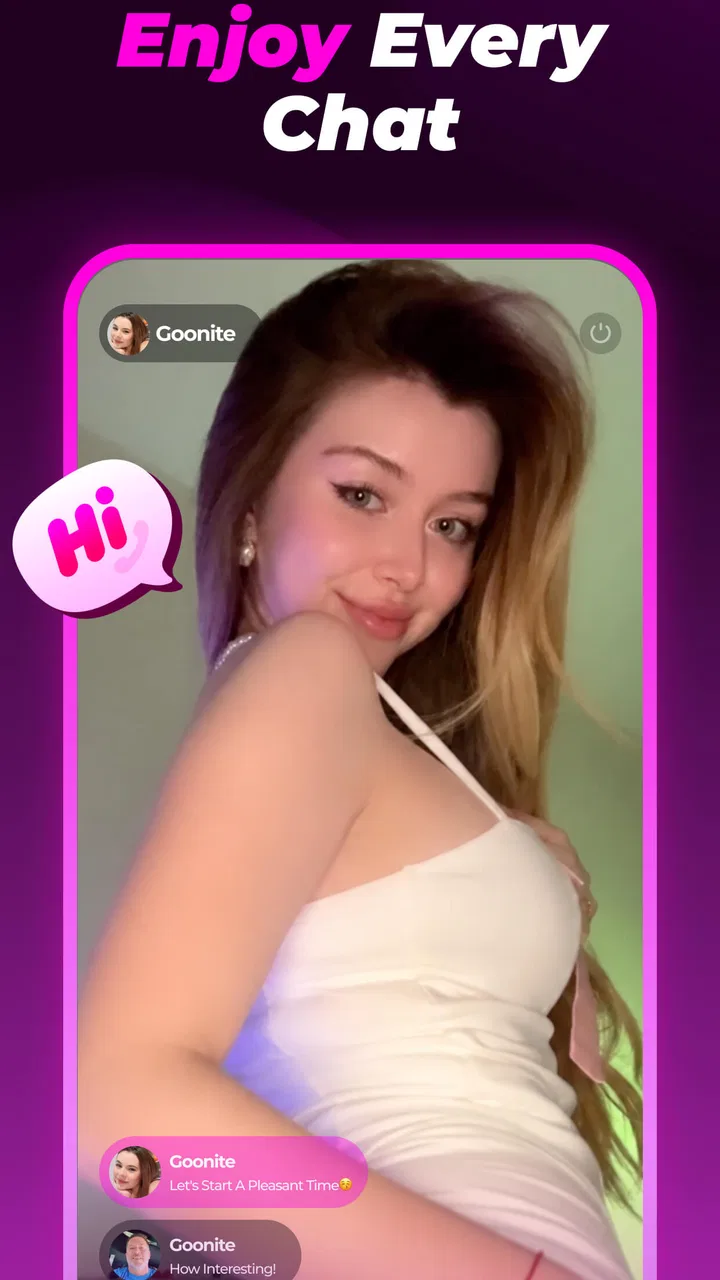
I approached Goonite as a social app for people who want live conversations to feel less restricted by language. Its central idea is easy to understand: video chat with people around the world while automatic translation helps bridge the gap between languages. That makes it more focused than a standard messaging app, but also more demanding. A useful experience depends on the quality of the conversation, the speed of the translation, the stability of the connection, and how comfortable you feel meeting unfamiliar people on camera.
After spending time with it, I see the appeal clearly. Goonite is not simply another place to scroll through posts or collect contacts. It is built around direct interaction, which can make a short exchange feel more personal than a text comment or a profile visit. At the same time, that immediacy means you need to use it with sensible boundaries. The app is marked for mature users, and I would treat that rating as a practical warning to think carefully about privacy, conversation choices, and who you allow into your social space.
How Goonite feels when a conversation starts
The first thing I noticed is that the app’s value appears quickly when both people are willing to participate. Video removes much of the ambiguity found in text-only services: facial expressions, pauses, and tone can make an exchange feel more natural. Automatic translation is especially useful when neither person is confident enough to carry a full conversation in the other person’s language. It does not remove every communication problem, but it can lower the barrier that would otherwise stop the conversation before it begins.
You May Also Like

 Blood Strike: 2.5 Anniversary
Blood Strike’s Loadouts Turn Every Drop Into a Tactical Gamble
A close look at Blood Strike’s custom loadouts: how fast access to signature weapons reshapes its battle royale rhythm, rewards preparation, and narrows the gap between fights.

 Pandora - Music & Podcasts
Pandora’s Music Is Easy to Start, but Harder to Recover
Pandora’s strength is its low-effort path from a seed to a station. Its weak spot is how much confidence it asks you to place in connection, setup, and quiet recovery.

 8 Ball Pool
 Is Built on Rivalries, Rematches, and Routine
A close look at the rivalries, rematches, shared routines, and unanswered safety questions that turn a quick pool match into a persistent mobile community.

 Samsung Music
’s Quiet Strength Is Playing What You Already Own
Its reach comes less from spectacle than from dependable access to a personal library. That simplicity is both the app’s strongest retention engine and its ceiling.

 AccuWeather: Weather Radar
AccuWeather Review: A Quick, Clear Forecast for Everyday Decisions
For everyday plans, the best forecast is the one you can understand quickly. AccuWeather makes rain timing, radar, and local conditions easy to act on, with a few trade-offs.

 Hill Climb Racing
Why Hill Climb Racing Still Turns Crashes Into One More Run
A tiny car, a bumpy hill and one more upgrade: Hill Climb Racing keeps resurfacing because its simple chaos makes every near-miss feel personal.
More From Our News Desk
View All News


That design also shapes expectations about speed. A social feed can tolerate a delayed refresh, and a messaging app can usually wait while you compose a reply. Live video cannot hide delays as easily. If the image freezes, the audio falls behind, or translated text arrives late, the conversation becomes awkward very quickly. My impression is that Goonite works best when I treat it as a focused live interaction rather than something to keep open while doing several other tasks.
The translation concept is most helpful for simple, direct exchanges. Introductions, travel stories, hobbies, daily routines, and basic questions are easier to follow because the meaning is usually clear from context. Humor, slang, irony, and emotionally complicated subjects are harder for any automatic translation system. I would keep sentences reasonably clear and avoid assuming that a strangely worded reply means the other person is being rude or evasive.
One useful habit is to confirm important meaning instead of rushing past it. If a translated sentence seems confusing, I would ask the person to rephrase it rather than building the rest of the conversation on a misunderstanding. This is a small adjustment, but it makes the app feel more reliable because I am working with the translation instead of treating it as perfect.
Where the live format is genuinely useful
I can imagine using Goonite when I want a quick cultural exchange rather than a long-term social network routine. Someone planning a trip could use a conversation to hear how a destination feels from another person’s perspective. A language learner could practice staying engaged when the exchange is not perfectly smooth. A person who enjoys meeting strangers may prefer this direct format to browsing profiles without ever speaking.
A realistic everyday situation would be a quiet evening after work. Instead of opening a conventional social feed and spending half an hour watching unrelated clips, I could use Goonite for a short conversation with someone in another country. I would keep the first exchange light, avoid sharing personal details, and leave if the interaction felt uncomfortable. That is where the app’s design makes sense: it can turn a spare moment into an actual conversation, provided both participants respect the format.
It is less suitable when I need a carefully organized community, a professional networking record, or a permanent archive of conversations. Traditional messaging services are usually better for coordinating with people I already know, while established language-learning platforms may offer more structured practice. Goonite’s strength is the immediacy of meeting and talking, not replacing every other kind of social communication.
What happens during heavier use
Video chat naturally places more pressure on a phone than reading text or browsing static profiles. The camera, microphone, network connection, translation process, and on-screen conversation all compete for attention and system resources. I would expect the app to feel most demanding during longer sessions or when switching repeatedly between the call and other apps. That does not make it a poor choice, but it does mean that a phone with limited free storage, a weak connection, or an already busy background workload may provide a less comfortable experience.
For a smoother session, I would close apps I do not need, use a stable connection, and start with a charged device. This is particularly important if I plan to have several conversations rather than making one brief call. A short interaction gives the phone less time to warm up or lose power, while extended use exposes every weakness in the device and connection.
The most demanding moment is not necessarily the beginning of a call. A conversation can start normally and become difficult when the network changes, when the other person’s connection fluctuates, or when translation has more complicated sentences to process. I would judge the app over several ordinary sessions rather than deciding from one unusually good or bad call. Live communication has too many moving parts for a single encounter to tell the whole story.
There is also a social kind of heavy use. Rapidly moving from one unfamiliar conversation to another can become tiring even when the app itself is functioning well. I found that setting a simple purpose before opening it helps: practice a language, have one interesting exchange, or learn about a place. Without that limit, the novelty of constant new conversations can turn into a repetitive routine.
Practical ways to reduce friction
I would prepare a few neutral opening questions before starting. Asking about food, local customs, music, or a favorite place gives the conversation direction and reduces the silence that often makes first contact uncomfortable. It also makes translation easier because the wording can stay direct. This is more useful than trying to sound clever or relying on jokes that may not survive automatic translation.
Another good workflow is to keep sensitive subjects out of the first conversation. I would not share an address, workplace details, financial information, private contact details, or anything that could identify where I live. If someone pressures me to move immediately to another service, asks for money, or pushes past a boundary, I would end the exchange. A live social app rewards openness, but openness should not mean giving strangers access to information they have not earned.
I would also pay attention to how the app fits my data habits. Video and translation can consume more connectivity than ordinary text chat, so using it casually on a limited mobile plan may be a poor match. A home or trusted Wi-Fi connection is the sensible choice for longer sessions. This is not a criticism unique to Goonite; it is a direct consequence of combining live video with translation in one experience.
For users who are sensitive to interruptions, I would avoid starting a conversation while commuting, working, or handling anything that requires concentration. The app is designed for active participation. Treating it like background entertainment is likely to produce a worse experience for both people in the call.
Stability, recovery, and trust during use
Reliability in a video-chat app is more than whether it opens successfully. I care about whether a conversation can recover after a brief network problem, whether I can understand what happened when the exchange breaks up, and whether returning to the app feels straightforward. Goonite’s purpose makes these details important because the social cost of a failed connection is higher than the cost of a delayed feed refresh.
When a live exchange becomes unstable, I would first separate the app from the network. A weak signal, crowded Wi-Fi, or a temporary issue on the other person’s side can look like an application failure. Reconnecting to a stronger network, closing and reopening the session, or waiting briefly can be more productive than repeatedly tapping controls. If the problem continues across different conversations, then I would consider whether the phone or current app installation is contributing to it.
Recovery also depends on expectations. I would not assume that every interrupted conversation can be restored exactly where it stopped. The safest approach is to treat each call as a self-contained interaction and avoid making plans that depend on a perfect reconnection. If a conversation matters, exchange only information you are comfortable sharing and remember that a technical interruption may end the contact.
The app’s popularity gives it a reassuring first impression. It is free to install and has passed the one-million-install mark, with an average rating of 4.6 from roughly twenty-three thousand ratings. Those figures suggest that many people find the concept worthwhile, but they do not guarantee that every conversation, device, or network will behave identically. I would read the rating as evidence of broad appeal, not as a promise of flawless live performance.
Goonite comes from MGODIN LLC, and the current version is 1.1.4. I would keep the app updated because live communication tools often depend on ongoing fixes and compatibility work. If an update changes the way a conversation starts or behaves, taking a moment to learn the new flow is preferable to assuming that an old routine still applies.
Privacy and personal comfort matter as much as stability
The mature rating is important here because the app places people in direct contact with strangers. I would not recommend handing a younger user a phone and assuming that the social format is harmless simply because the download itself is free. Adults should still decide what they are comfortable showing on camera and what kinds of conversations they are willing to continue.
I also think the camera changes how users should prepare. A neutral background, headphones when appropriate, and awareness of what is visible behind you can prevent accidental oversharing. I would check the frame before starting a call and avoid displaying documents, screens, mail, or personal items that reveal more than intended. These are simple precautions, but they are especially relevant in an app centered on spontaneous video interaction.
People who dislike unpredictable contact may find the format stressful rather than exciting. If I want complete control over who can message me, a private group or a conventional contact-based messenger would be a better choice. Goonite is aimed at discovery and direct interaction, so its appeal naturally comes with less predictability.
Device limits and the cost of a free download
Goonite is free, which makes trying the basic experience relatively easy, but it includes in-app purchases ranging from $0.99 to $99.99 per item. I would decide what I actually want from the app before spending anything. The free entry point is useful for testing whether I enjoy live translated conversations, whether my phone handles them comfortably, and whether the available social experience matches my expectations.
I would be cautious about treating purchases as a solution to every frustration. Paying inside a social app does not automatically improve a weak mobile signal, a poor microphone, an uncomfortable conversation, or a translation misunderstanding. Before spending, I would identify the specific benefit I am buying and consider how often I will genuinely use it. The wide range between the smallest and largest purchase also makes it sensible to review each confirmation screen carefully.
The minimum operating-system requirement is Android 7.0, so the app is accessible to a broad range of Android phones. That does not mean every compatible device will feel equally capable. Operating-system compatibility only tells me that installation is possible; it does not describe the phone’s camera quality, microphone, battery condition, available memory, or network performance. Older hardware may run the app but still feel less comfortable during extended video sessions.
On a smaller display, translated text and video may compete for space. I would hold the phone steadily and use headphones if the room is noisy. If the screen is difficult to read, the conversation becomes harder even when the app is technically working. For people who rely on a tablet or larger device for video communication, the phone-first experience may feel less relaxed than a service designed around larger screens.
Battery planning is another practical issue. I would not begin a long conversation with a nearly empty battery, especially while using mobile data. A charger nearby removes one avoidable source of stress. If the phone becomes noticeably warm or other apps start behaving slowly, I would end the session and let the device recover rather than forcing a longer call.
Who should choose it, and who should look elsewhere
I would recommend Goonite to adults who enjoy spontaneous conversations, want to meet people beyond their usual circle, and are willing to work patiently with automatic translation. It is particularly appealing if the goal is informal cultural exchange or low-pressure language practice. The live format can make a short interaction memorable in a way that a conventional comment thread rarely does.
I would steer a different user toward another kind of app. Someone seeking dependable communication with family should use a familiar messenger. Someone studying a language through lessons, corrections, and a planned curriculum may benefit more from a dedicated learning service. Someone who wants a carefully moderated professional network should not expect a spontaneous video-chat environment to provide the same structure.
I would also skip it if I strongly dislike appearing on camera, have an unreliable connection, or do not want to manage conversations with strangers. Those are not minor preferences; they affect the central experience. The translation feature can reduce language barriers, but it cannot make an unwilling video participant comfortable or turn an unstable connection into a dependable one.
My performance verdict after weighing the trade-offs
Goonite has a clear identity. It combines social discovery, live video, and automatic translation in a way that can make international conversation feel more approachable. I like that it encourages an actual exchange instead of keeping the user in a passive browsing loop. The strongest moments come when both people keep their language simple, accept occasional translation oddities, and approach the call with genuine curiosity.
Its performance expectations need to stay realistic. Live video is inherently more sensitive to device and network conditions than text messaging, and translation adds another layer that can affect the flow. I would describe the app as best for deliberate, reasonably short sessions on a prepared phone and stable connection, rather than constant multitasking throughout the day.
The app has been available since August 5, 2025, and its version 1.1.4 release suggests a product that is still relatively early in its public life. That makes it worth judging for what it does now while allowing room for the experience to evolve. I would keep expectations flexible and pay attention to how well it fits my own device, connection, and preferred conversation style.
My final view is positive but selective. Goonite is worth trying if the idea of meeting people worldwide through translated video genuinely appeals to you, especially because the free starting point lets you test the concept before considering purchases. I would use it with privacy boundaries, a stable connection, and a clear reason for opening it. For a controlled, familiar, or highly structured social experience, another app will probably serve you better. For spontaneous cross-language conversation, however, this one offers a distinctive reason to pick up the phone and talk.
FAQs for Goonite
01What is Goonite and what can I use it for?
Goonite is an app designed for users who want to explore its specific entertainment and social features in one place. After installing it, you can browse the available sections, review the content or activities offered, and adjust the main settings to suit your preferences. The exact experience may vary by device, region, and app version, so checking the current store description is recommended before downloading.
02Is Goonite free to download and use?
Goonite may be available as a free download, but some features, content, or services could require in-app purchases, a subscription, or additional payments. Before using it extensively, review the pricing details shown in the Google Play Store or Apple App Store. Also check whether subscriptions renew automatically and learn how cancellation works through your device’s account settings.
03What permissions does Goonite require?
The permissions requested by Goonite depend on the functions enabled in the version you install. An app may request access to notifications, storage, the camera, microphone, location, or account information when those features are needed. We recommend reviewing each permission prompt carefully and allowing only access that makes sense for the app’s purpose. You can later manage permissions from Android or iOS settings.
04Is Goonite safe for children and all age groups?
Parents should check Goonite’s official age rating, privacy information, and user-generated content policies before allowing children to use it. If the app includes communication, public profiles, advertising, purchases, or external links, younger users may need supervision. Use parental controls, disable unauthorized purchases, and review the available safety settings. Age suitability can also differ between Android and iOS listings.
05Which devices support Goonite, and what should I do if it does not work?
Goonite’s compatibility depends on the operating system version, device hardware, available storage, and the requirements listed on its official store page. Keep Android or iOS updated, install the latest app version, and ensure you have a reliable internet connection. If the app crashes or fails to load, restart the device, clear temporary data on Android, reinstall the app, or contact the developer’s support team.
Pros
- Simple interface makes nighttime tracking easy to understand.
- Sleep reports help identify recurring rest patterns over time.
- Useful reminders can encourage a more consistent bedtime routine.
- Low-effort setup makes it approachable for first-time sleep trackers.
- Clear visual summaries make progress easy to review at a glance.
Cons
- Accuracy may vary depending on phone placement and sensor limitations.
- Some features may require a subscription or in-app purchase.
- Battery use can increase when sleep tracking runs throughout the night.
- Limited data may be available for users seeking advanced sleep analysis.
- Background tracking may raise privacy concerns for some users.

Goonite
Gallery